Arch Linux - play Diablo 2 Resurrected
How to play Diablo 2 Resurrected on Arch Linux and Lutris. My system has the following specifications:
- Arch Linux
Linux 5.14.8-arch1-1 - Nvidia GeForce GTX 1070
- Ryzen 5 2600
- 2 x 8GB DDR4 @ 3200 MHz
I assume that Arch Linux and the nvidia + nvidia-dkms Drivers are installed and running with a window manager or desktop environment like GNOME.
First of all, we need to enable the multilib Repository:
nano /etc/pacman.conf[multilib]
Include = /etc/pacman.d/mirrorlist payman -SyuFor an hassle-free setup we use Lutris and Wine to install the Battle.net Launcher.
pacman -S lutris wineBefore we can use Lutris, we need to install the following driver packages:
sudo pacman -S nvidia-utils lib32-nvidia-utils nvidia-settings vulkan-icd-loader lib32-vulkan-icd-loaderThere are a few packages, which are required for a successfull login in the Battle.net launcher:
sudo pacman -S lib32-gnutls lib32-libldap lib32-libgpg-error lib32-sqlite lib32-libpulseWe install gamemode for a few improvements:
pacman -S gamemode Optionally:
If you would like to show the FPS from the game, you should also install mangohud from the AUR and activate it in the configurations (see below):
yay -S mangohud Start Lutris and make sure if the Wine runner is installed.
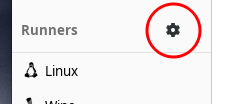

If not, simply click on “install runner” and follow the installation procedure of Wine.
Open the Lutris Website and start the Battle.net Installscript:
https://lutris.net/games/battlenet/

Let Lutris and Wine do the work and install the Battle.net launcher. After this, it should be showed in the Lutris launcher.
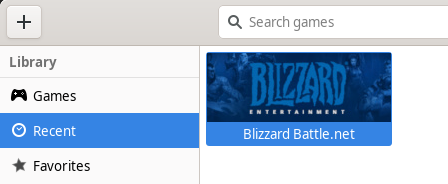
Lutris can be closed for now.
To improve the performance of the D2R (which uses DirectX 12), we also need to download an customized Wine Version: https://github.com/GloriousEggroll/wine-ge-custom/releases/tag/6.18-GE-1
Download wine-lutris-ge-6.18-1-x86_64.tar.xz and unpack the tar.xz File in your homefolder under ~/.local/share/lutris/runners/wine.
Start Lutris, right click on the Battle.net thumbnail and select “configure”. Set your settings as in the screenshots:
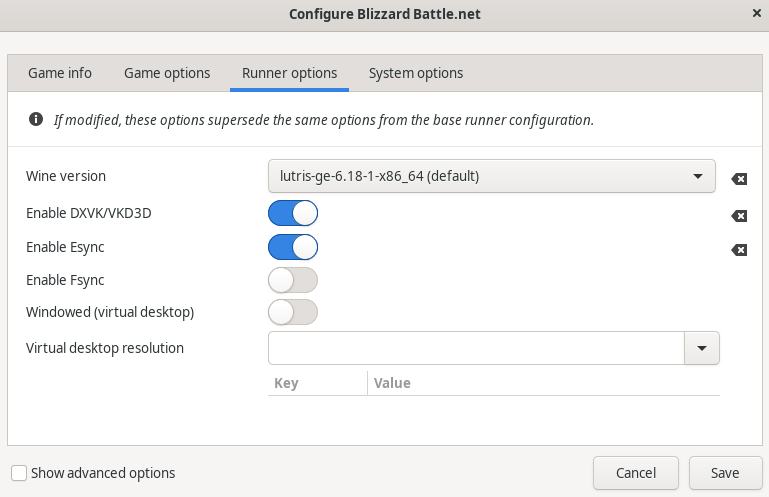
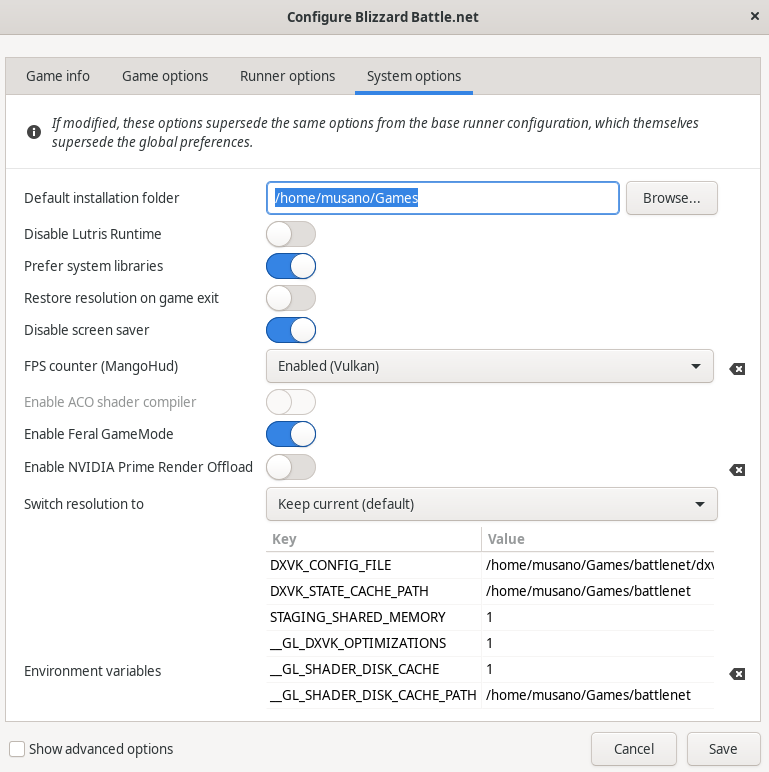
Save the settings, start the Battle.net launcher, login with your credentials, download Diablo and have fun.